Outside a QPI building, a phone or computer Maverik doesn't know yet shows This device isn't authenticated. This guide shows how to get it in with a 6-character code. You only do this once on each device.
AType the code
-
Ask for a code Call or message Matthew Struttmann and say which phone or computer this is. You get a 6-character code. It works once, for 15 minutes.

-
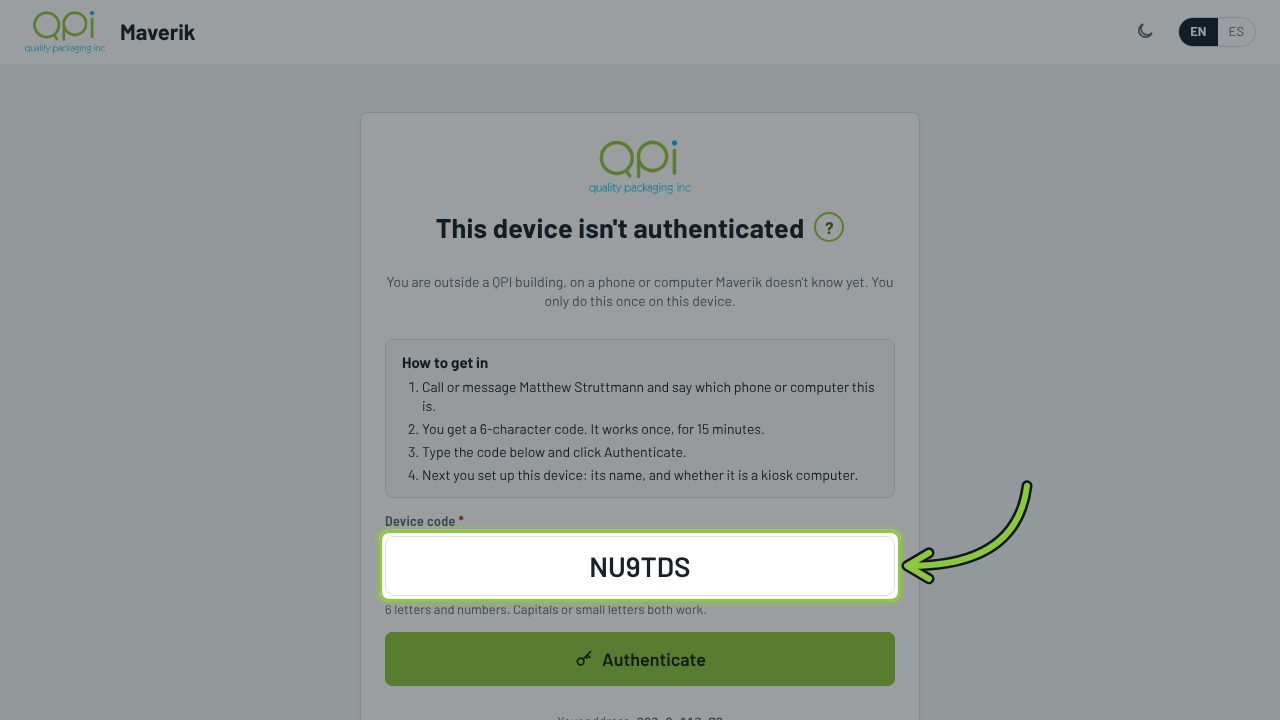
Type the code Type it in the Device code box. Capitals or small letters both work, and a space in the middle doesn't matter.
-
Click Authenticate The code is checked. It can't be used again after this.

-
Click OK The message says the device is authenticated. Set up this device opens next: see the ? on that page. A device that was already set up goes straight to the timecard screen and keeps its name.

BIf the code doesn't work
-
Read the red message Wrong code: check each letter and number and type it again. Expired: a code works for 15 minutes, so ask for a new one. After too many wrong tries the code is locked and you need a new one.

Once it is authenticated and set up, this device opens Maverik from anywhere.
Process
You, on the device
This device isn't authenticated
AType the code, Authenticate
Set up this device (first time)
Sign in
Matthew Struttmann
Admin > Approved devices: Generate code
Reads you the code
Checked against the screen on 11/02/2026